.png)
How to Retain Filters in Embedded Reports in Zoho Creator
When working with reports in Zoho Creator, it's common to embed reports inside a custom page for better UI and workflow control.
However, many developers face this issue: Filters and search values reset when the page is refreshed.
This blog explains why this happens and how to fix it correctly.
The Problem
Consider this setup:
- A report is embedded inside a Zoho Creator page
- User applies filters or searches within the report
- Page is refreshed
- All filters are lost
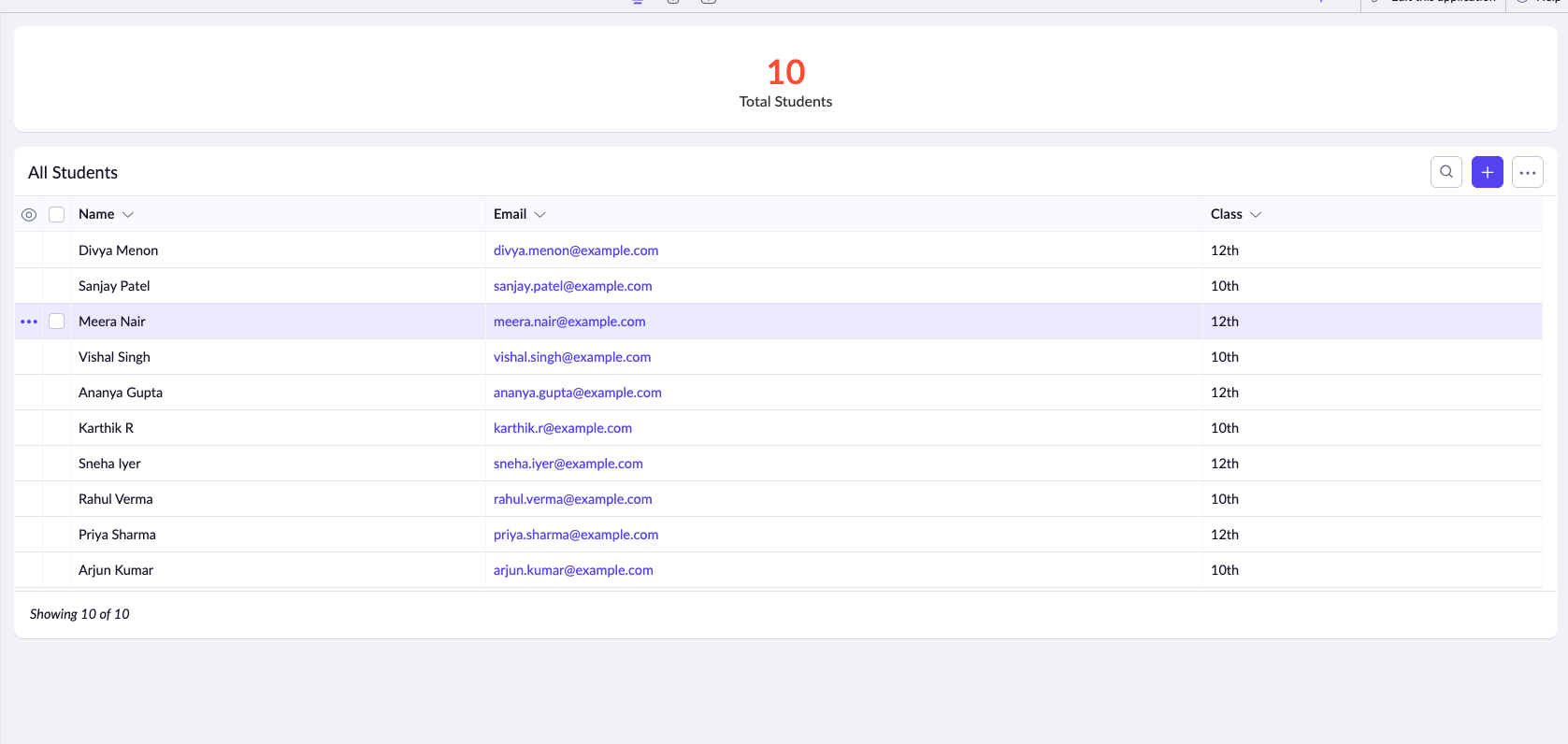
Report embedded inside a Zoho Creator page showing all 10 students
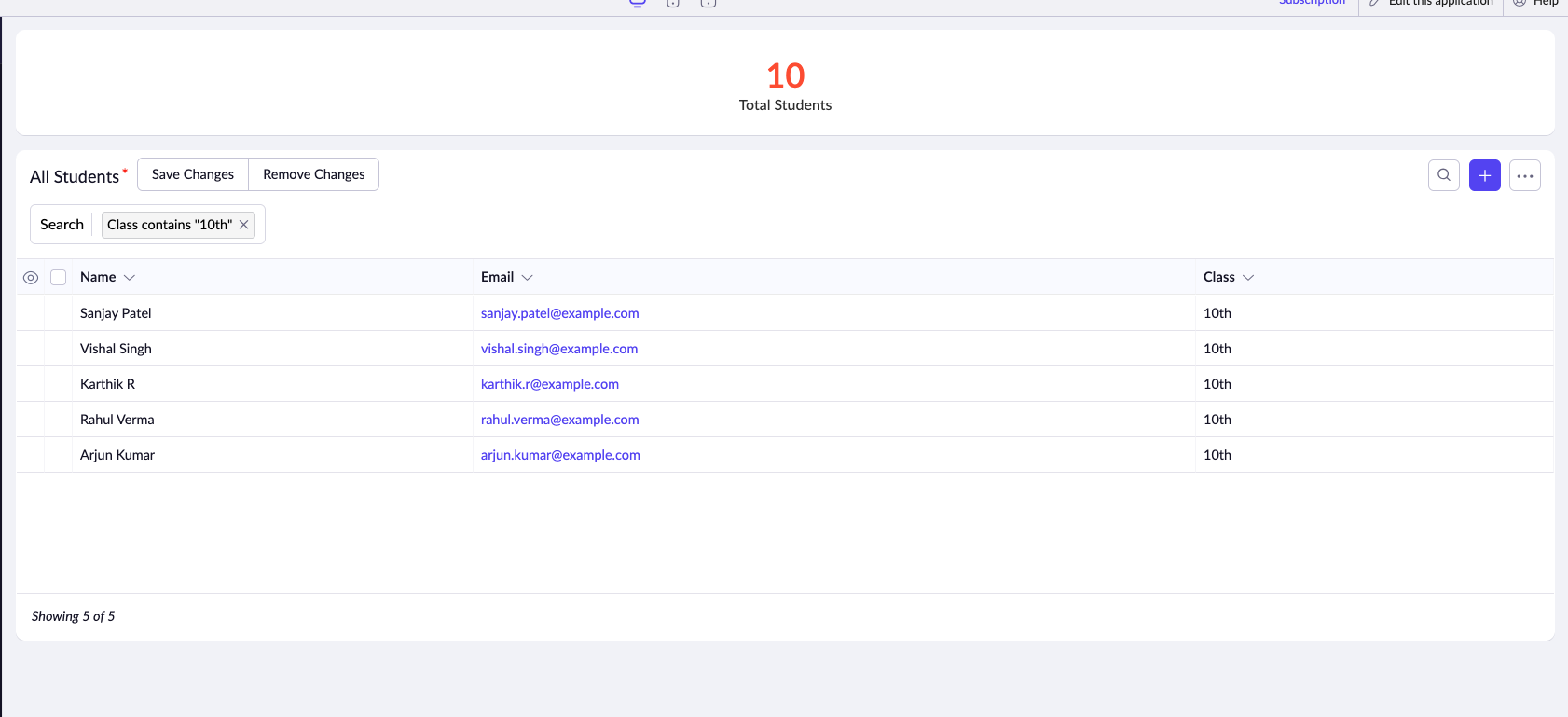
User applies filter "Class contains 10th" - now showing 5 of 5 students. Notice the "Save Changes" and "Remove Changes" buttons.
But interestingly:
- If the same report is opened directly, filters are retained
- The issue happens only when the report is embedded
So what's the difference?
Why This Happens
Zoho Creator treats embedded reports differently from standalone reports.
By default:
- Embedded reports do not retain UI changes
- Filter and search states are not persisted across refresh
To retain this behavior, Zoho Creator provides a feature called Retail Changes.
Solution: Enable Retail Changes
There are two scenarios, depending on how you embed the report.
Scenario 1: Embedding the Report Directly
If you embed the report directly using Zoho Creator's page builder:
- Open the page in Edit mode
- Select the embedded report
- Enable the setting called "Retain Changes"
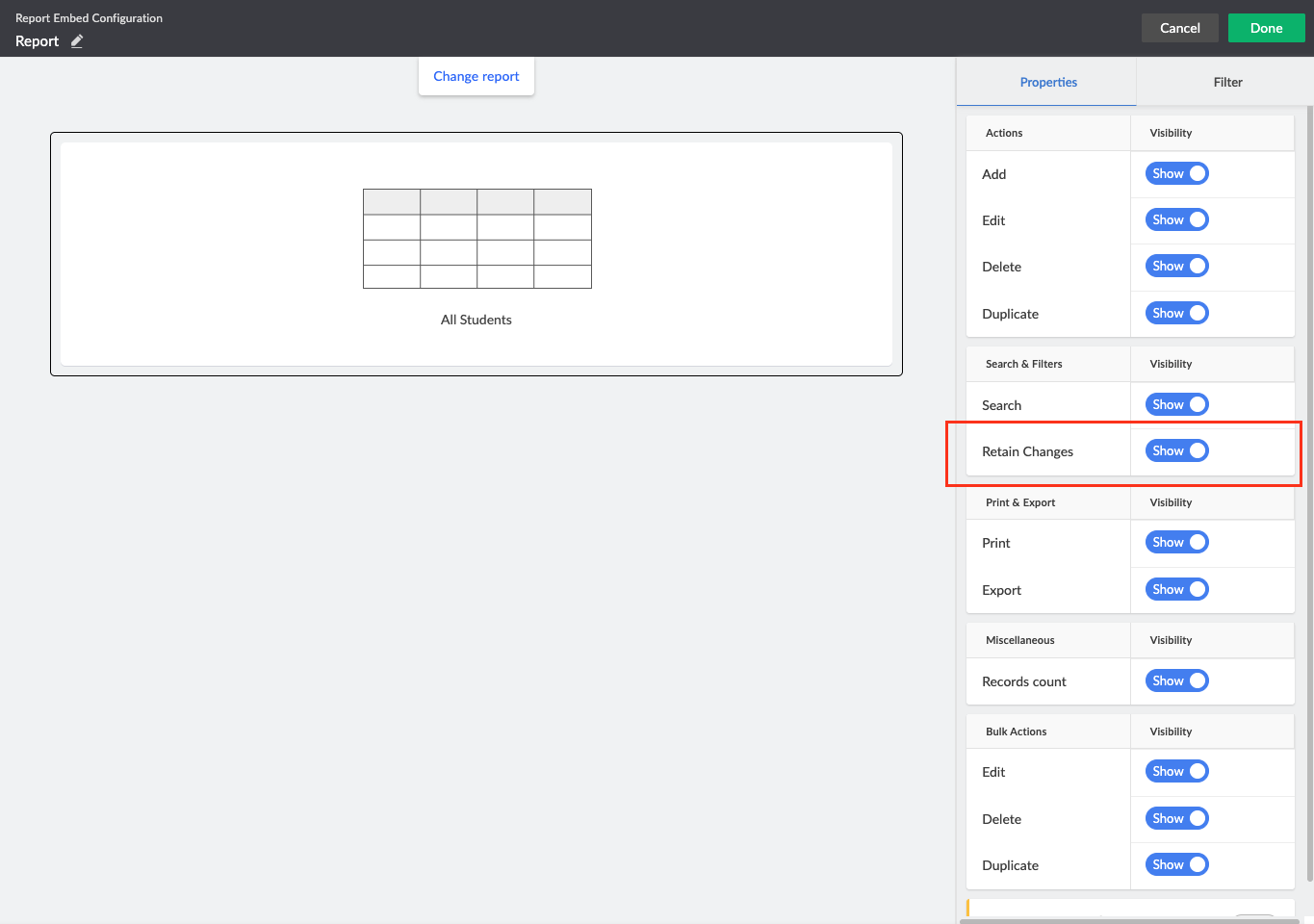
Report Embed Configuration panel showing the "Retain Changes" toggle under Search & Filters section (highlighted in red)
Once this is enabled:
- Filters
- Search values
- UI changes
✓ will persist even after page refresh.
This is the simplest approach.
Scenario 2: Embedding the Report Using HTML Snippet
In some cases, reports are embedded using HTML snippets (iframe or custom embed).
Here:
- There is no UI toggle for Retain Changes
- You must enable it via a query parameter
Required Query Parameter
Add the following parameter to your report URL:
zc_RetainChanges=trueExample in Zoho Creator
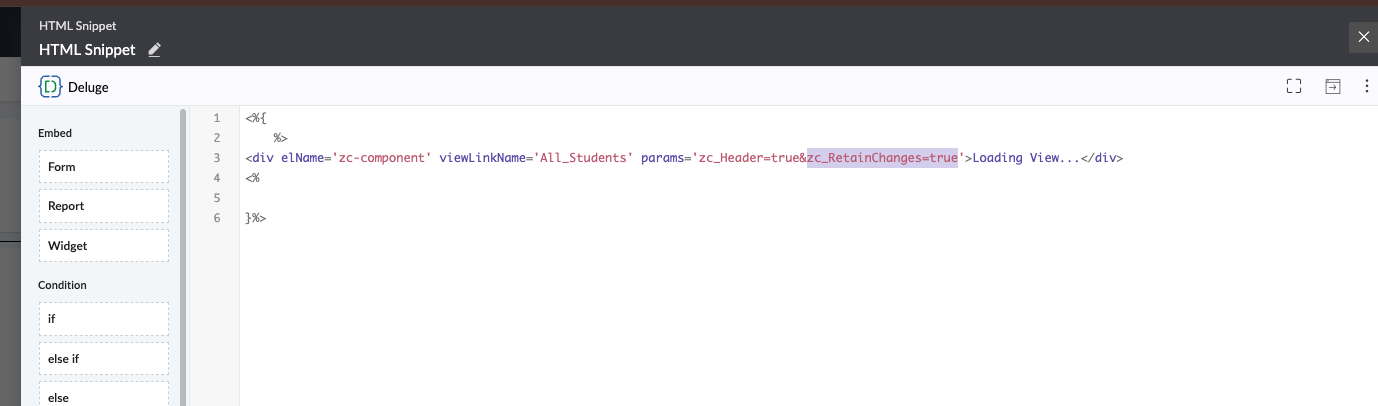
HTML Snippet in Zoho Creator showing the params attribute with zc_RetainChanges=true (highlighted in purple)
Or if you're using a standard iframe embed:
<iframe
  src="https://creatorapp.zohopublic.com/your-app/report/Your_Report_Name?zc_RetainChanges=true"
  width="100%"
  height="600">
</iframe>
Once added:
- Filter state is retained
- Search input persists
- Page refresh no longer resets the report
When Should You Use This?
Use Retail Changes when:
- Users frequently filter or search reports
- Reports are embedded inside dashboards or workflows
- Page refresh or navigation is expected
- You want a better user experience
Summary
| Scenario | Action Needed |
|---|---|
| Direct report embed | Enable Retail Changes in UI |
| HTML snippet embed | Add zc_RetainChanges=true |
This small configuration makes a big difference in usability.
Final Thoughts
If you're building serious applications in Zoho Creator, understanding these small behaviors helps you deliver polished, professional apps.
The difference between a frustrating user experience and a delightful one often comes down to these seemingly minor details. Taking the time to configure features like Retail Changes shows your users that you care about their workflow and productivity.
Need Help with Zoho Creator Development?
As an authorized Zoho Partner, DreamTusk Technologies specializes in building custom Zoho Creator applications with polished user experiences. We handle the technical details so you can focus on your business.
Get Expert Zoho Creator ConsultationZoho Basics Series
This article is part of our Zoho Basics series for users and developers.
- #1How to Identify Your Zoho Data Center
- #2How to Retain Filters in Embedded Reports (You are here)
- #3Centralize Leads Using Zoho Creator API
- #4Coming soon...
About DreamTusk Technologies
DreamTusk Technologies is an authorized Zoho Partner specializing in Zoho implementation, customization, and integration services. We help businesses worldwide leverage Zoho's powerful suite of applications to streamline operations and drive growth.